Installing the replicated CLI
The replicated CLI is an optional command-line interface that helps vendors package applications using a command-line interface, including the management of releases, channels, customers, and entitlements.
Alternatively, you can use the Replicated vendor portal user interface for the same purposes.
Prerequisites
This guide already assumes that you have created a team and an initial application in the vendor portal. For more information, see How to Distribute a Production Application. You'll also need:
Configure Environment
You’ll need to set up two environment variables to interact with the vendor portal: REPLICATED_APP and REPLICATED_API_TOKEN.
REPLICATED_APPshould be set to the name of your application, as shown in the URL path at https://vendor.replicated.com/apps. Note that this is case sensitive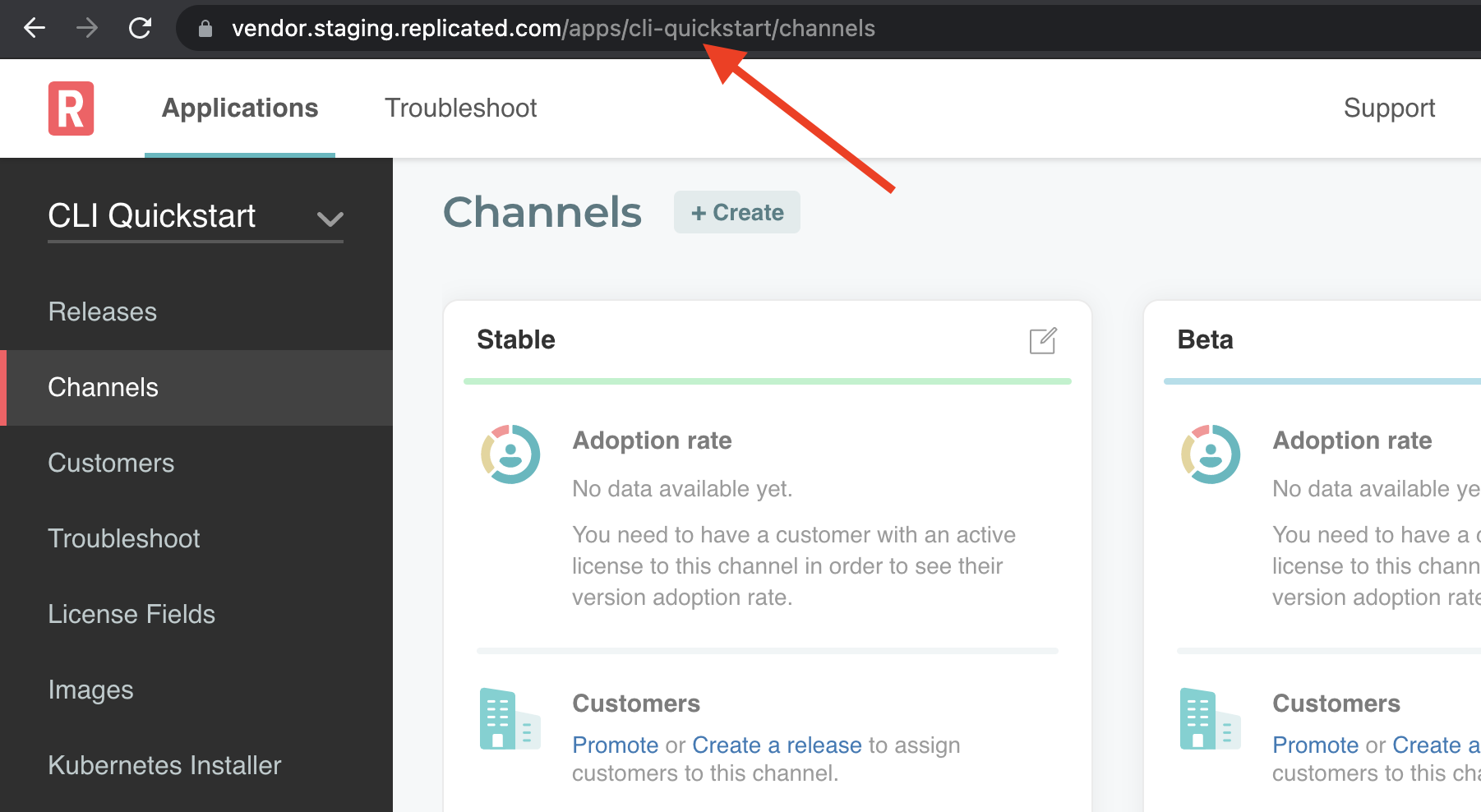
REPLICATED_API_TOKENshould be set to a service account token created at https://vendor.replicated.com/team/serviceaccounts, or a user token created in the vendor portal. To create a user token, go to https://vendor.replicated.com/account-settings.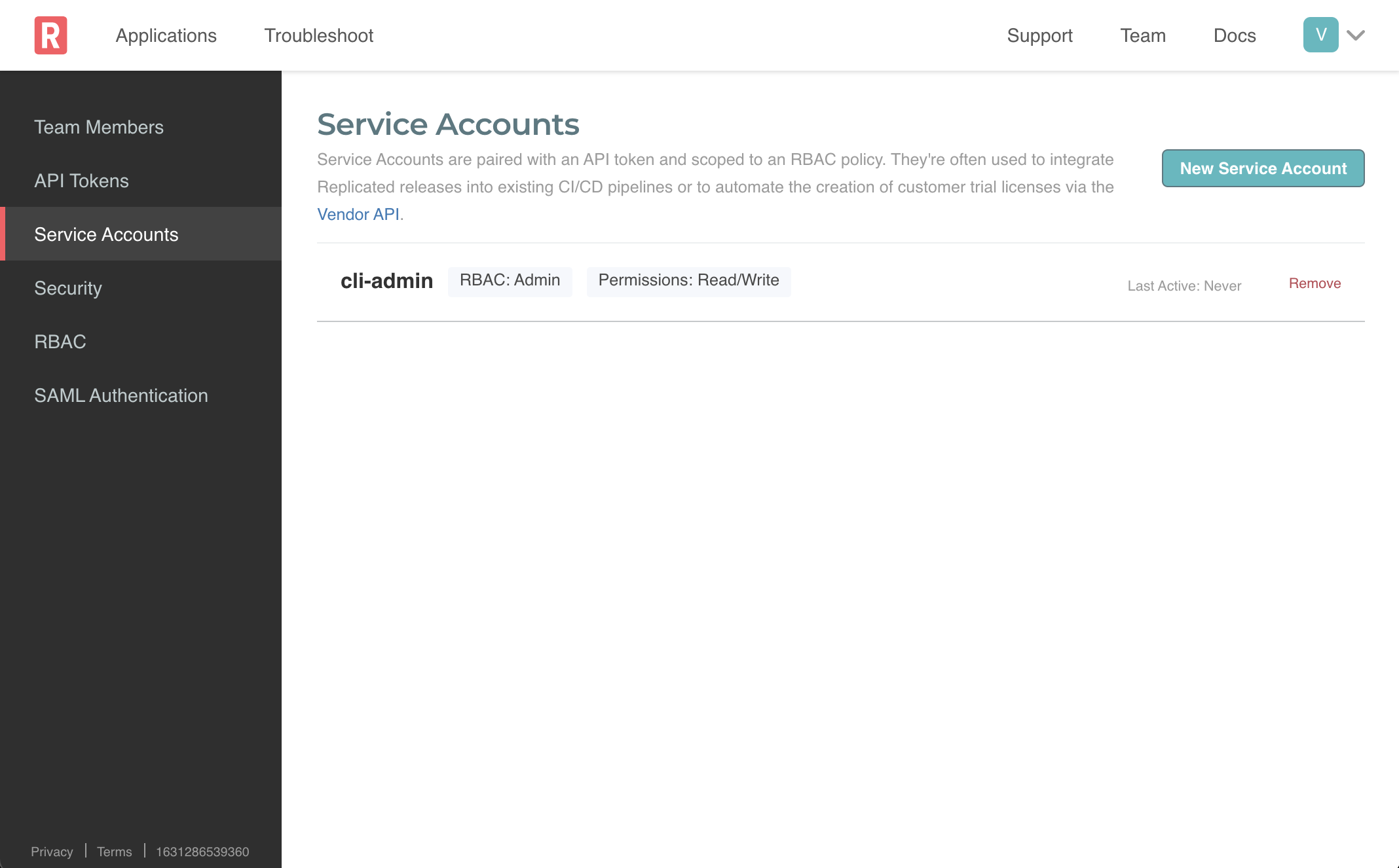
Ensure the token has “Write” access or you’ll be unable create new releases. Once you have the values, set them in your environment.
For Linux/Mac environments:
export REPLICATED_APP=my_kots_app
export REPLICATED_API_TOKEN=d5cdf814bae01b211a8e891593dc12e1158238d27932d082a32b98706e576216
Installing The replicated CLI
There are three options for installing the replicated CLI.
- Running the CLI directly on mac
- Running the CLI directly on linux
- Running the CLI through Docker (Useful for Windows, GitHub Actions, or computers without sufficient access).
MacOS
To install the latest replicated CLI on Mac with Brew:
brew install replicatedhq/replicated/cli
To install the latest replicated CLI on Mac without Brew:
curl -s https://api.github.com/repos/replicatedhq/replicated/releases/latest \
| grep "browser_download_url.*darwin_all.tar.gz" \
| cut -d : -f 2,3 \
| tr -d \" \
| wget -O replicated.tar.gz -qi -
tar xf replicated.tar.gz replicated && rm replicated.tar.gz
mv replicated /usr/local/bin/replicated
Linux
To install latest replicated CLI on Linux:
curl -s https://api.github.com/repos/replicatedhq/replicated/releases/latest \
| grep "browser_download_url.*linux_amd64.tar.gz" \
| cut -d : -f 2,3 \
| tr -d \" \
| wget -O replicated.tar.gz -qi -
tar xf replicated.tar.gz replicated && rm replicated.tar.gz
mv replicated /usr/local/bin/replicated
Docker / Windows
To run latest replicated CLI through a docker container:
docker run \
  -e REPLICATED_APP=$REPLICATED_APP \
  -e REPLICATED_API_TOKEN=$REPLICATED_API_TOKEN \
  replicated/vendor-cli --help
or on Windows:
docker.exe run \
  -e REPLICATED_APP=%REPLICATED_APP% \
  -e REPLICATED_API_TOKEN=%REPLICATED_API_TOKEN% \
  replicated/vendor-cli --help
For simplicity, we will represent usage assuming the CLI has been downloaded and installed to the desktop.